


Have you ever published a blog post you’re incredibly proud of, only to watch it fade into obscurity with barely a trickle of traffic? Or perhaps you’re tired of the constant grind of social media promotion, wondering if there’s a more efficient way to get eyes on your content? If so, you’re not alone.
Many bloggers struggle with driving consistent traffic to their sites. But what if I told you there’s a powerful, often underutilized platform that could be your secret weapon for free, targeted traffic? Yes, Pinterest. In this post, we’ll talk about how to use Pinterest to drive traffic to your blog.
As Neil Patel, a digital marketing expert, once said, “Pinterest is not a social network; it’s a discovery network.” This simple shift in perspective could revolutionize your blog traffic strategy. But why should bloggers care about Pinterest?
Consider these eye-opening statistics:
- Pinterest has over 450 million active users worldwide.
- 89% of Pinterest users are in a buying mindset when they use the platform.
- The half-life of a Pinterest pin is 3.5 months, compared to 24 minutes for a Twitter post and 90 minutes for a Facebook post.
Can I use Pinterest to drive traffic to my new blog?
Absolutely! Pinterest is an excellent platform for new bloggers as it doesn’t require a large following to start seeing traffic. Focus on creating high-quality, visually appealing pins and optimizing for Pinterest SEO.
How to Use Pinterest to Drive Traffic to Your Blog
Intrigued? Learn how to use Pinterest to drive traffic to your blog with 15 proven tactics. Discover expert strategies to optimize your Pinterest presence and boost your blog’s visibility
How to Drive Traffic to Your Blog Using Pinterest
1. Optimize Your Pinterest Profile for Success
Before you start pinning, you need to lay the groundwork:
- Choose a business account: If you haven’t already, switch to a Pinterest business account. It’s free and gives you access to analytics and other useful features.
- Use keywords in your profile: Your username, display name, and bio should all include relevant keywords that describe your blog and niche.
- Claim your website: This verifies your site and allows you to see analytics for pins from your website.
- Enable rich pins: These automatically sync information from your website to your pins, adding credibility and context.
Pro Tip: Use your blog’s logo as your profile picture for brand consistency across platforms.
2. Create and Optimize Pinterest Boards
Your boards are like the categories of your blog, so make them count:
- Use keyword-rich board names: Instead of “Recipes,” try “Quick and Easy Dinner Recipes.”
- Write detailed board descriptions: Include relevant keywords and phrases that describe the content of the board.
- Create a board specifically for your blog posts: This makes it easy for followers to find all your content in one place.
- Use board covers: Create visually appealing covers for your boards to make your profile more attractive.
3. Design Eye-Catching Pin Images
On a visual platform like Pinterest, your pin design can make or break your success:
- Use vertical images: The ideal aspect ratio is 2:3 or 1000×1500 pixels.
- Incorporate bold, easy-to-read text: Your pin should be understandable at a glance.
- Use high-quality images: Blurry or pixelated images will turn users away.
- Brand your pins: Include your blog name or logo on each pin for increased brand recognition.
- Create multiple pin designs for each post: This allows you to A/B test and appeal to different aesthetic preferences.
Related: 10 Best Sources for Free Stock Images
4. Master the Art of Pin Descriptions
Your pin description is prime real estate for SEO and encouraging clicks:
- Front-load with keywords: Put your most important keywords at the beginning of your description.
- Tell a story: Briefly explain what the user will learn or gain from clicking on your pin.
- Use a call-to-action: Encourage users to “Click to learn more” or “Save for later.”
- Include relevant hashtags: Use 2-3 targeted hashtags at the end of your description.
5. Implement a Consistent Pinning Strategy
Consistency is key on Pinterest:
- Pin regularly: Aim for at least 3-5 pins per day.
- Use a scheduling tool: Tools like Tailwind can help you maintain a consistent pinning schedule without spending hours on the platform daily.
- Spread out your content: Don’t pin all your blog posts at once. Mix in a variety of content throughout the day.
- Experiment with timing: Use Pinterest analytics to see when your audience is most active and schedule your pins accordingly.
6. Leverage Group Boards
Group boards can exponentially increase your reach:
- Find relevant group boards: Use tools like PinGroupie to find boards in your niche.
- Follow board rules: Each group board has its own rules. Adhere to them strictly to avoid being removed.
- Contribute value: Don’t just promote your own content. Share high-quality pins from others as well.
- Create your own group board: Invite other bloggers in your niche to contribute, building a community around your brand.
7. Embrace Pinterest SEO
Pinterest is a search engine, so SEO is crucial:
- Use keywords everywhere: Your profile, board names and descriptions, pin titles, and descriptions should all be keyword-rich.
- Create keyword-focused boards: If you’re targeting a specific keyword, create a board dedicated to that topic.
- Use Pinterest’s search suggestions: Type a keyword into Pinterest’s search bar and use the suggested phrases in your pin descriptions.
- Optimize your blog posts for Pinterest: Include a Pinterest-optimized image and description in each blog post.

8. Utilize Rich Pins
Rich Pins automatically sync information from your website to your pins:
- Article Rich Pins: These include the headline, author, and description of your blog post.
- Recipe Rich Pins: Great for food bloggers, these display ingredients, cooking time, and serving size.
- Product Rich Pins: If you sell products, these show real-time pricing and availability.
9. Engage with Your Pinterest Community
Pinterest rewards active users:
- Follow relevant accounts: Connect with other bloggers and influencers in your niche.
- Comment on and save others’ pins: Engage meaningfully with content you enjoy.
- Respond to comments on your pins: Build relationships with your audience.
- Join Pinterest communities: Participate in discussions and share your expertise.
10. Analyze and Adjust Your Strategy
Use Pinterest analytics to refine your approach:
- Track your top-performing pins: What types of content resonate most with your audience?
- Monitor your traffic sources: Which boards or group boards are driving the most traffic?
- Observe seasonal trends: Many topics on Pinterest are seasonal. Plan your content accordingly.
- Experiment and iterate: Continuously test new strategies and double down on what works.
11. Implement Pinterest Video Pins
Video content is on the rise, even on Pinterest:
- Create short, engaging videos: Aim for 15 seconds to 1 minute in length.
- Add text overlays: Many users watch without sound, so make your video understandable without audio.
- Use a strong thumbnail: Choose an eye-catching still frame as your video thumbnail.
- Optimize video titles and descriptions: Just like with static pins, use keywords and clear descriptions.
12. Leverage Pinterest Stories
Pinterest Stories offer another way to engage your audience:
- Create themed story pins: Group related pins into a cohesive story.
- Use multiple pages: Unlike Instagram Stories, Pinterest Stories can have up to 20 pages.
- Include actionable content: Tutorials, step-by-step guides, and tips work well in story format.
- Add a strong CTA: Encourage viewers to visit your blog for more information.
13. Collaborate with Other Pinners
Collaboration can significantly expand your reach:
- Participate in Pinterest challenges: Join or create challenges related to your niche.
- Co-create boards: Partner with complementary bloggers to create shared boards.
- Guest pin on others’ boards: Offer to contribute high-quality pins to established boards in your niche.
- Organize pin-sharing threads: Connect with other bloggers to share and repin each other’s content.
14. Optimize Your Website for Pinterest
Make it easy for your blog visitors to share your content on Pinterest:
- Add “Pin It” buttons to your images: This encourages visitors to share your content on Pinterest.
- Include Pinterest share buttons: Place these prominently on your blog posts.
- Create hidden Pinterest images: Use CSS to hide Pinterest-optimized images on your blog that only appear when someone clicks to share on Pinterest.
- Add Pinterest follow buttons: Encourage your blog readers to follow you on Pinterest.
15. Stay Up-to-Date with Pinterest Trends
Pinterest is constantly evolving, so stay informed:
- Follow Pinterest’s official blog: They often announce new features and best practices.
- Join Pinterest-focused Facebook groups: Connect with other Pinterest marketers to share tips and stay updated.
- Attend Pinterest conferences or webinars: These often provide insider tips and early access to new features.
- Experiment with new Pinterest features: Be an early adopter of new pin types or tools to stay ahead of the curve.
The Future of Pinterest for Bloggers
As we look ahead, several trends are shaping the future of Pinterest marketing for bloggers:
- Increased focus on video content: With the rise of Pinterest Video Pins and Stories, video is becoming increasingly important.
- AI-powered personalization: Pinterest is likely to leverage AI more to deliver personalized content to users, making it crucial to understand your target audience.
- E-commerce integration: As Pinterest continues to evolve its shopping features, bloggers with products or affiliates may find new opportunities.
- Emphasis on fresh content: Pinterest is placing more importance on new, timely content, encouraging regular posting.
- Mobile-first approach: With the majority of Pinterest users accessing the platform via mobile, optimizing for mobile viewing will be crucial.
FAQ
Q: How long does it take to see results from Pinterest marketing?
A: While some bloggers see results within a few weeks, it typically takes 2-3 months of consistent effort to see significant traffic from Pinterest.
Q: How many pins should I create for each blog post?
A: Create at least 3-5 different pin designs for each blog post. This allows you to A/B test and appeal to different aesthetic preferences.
Q: Is it okay to repin the same content multiple times?
A: Yes, but space out your repins and use different images or descriptions each time. Pinterest favors fresh content, so creating new pins for old blog posts is a good strategy.
Q: Do I need to be active on Pinterest daily to see results?
A: While daily activity can help, using a scheduling tool like Tailwind can allow you to maintain a consistent presence without logging in every day.
Conclusion
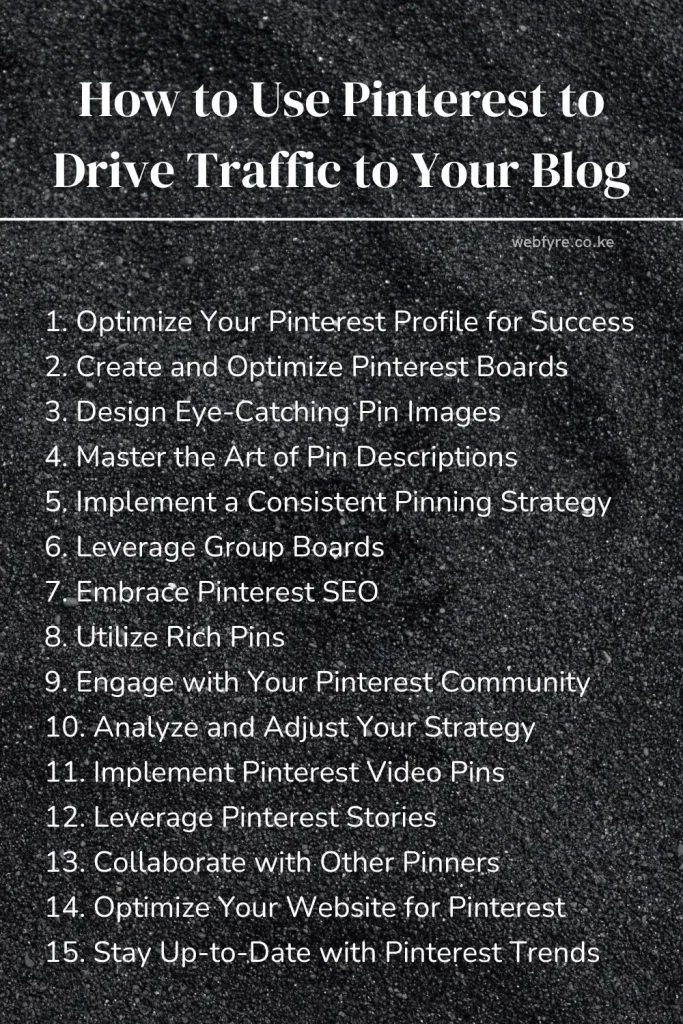
Harnessing the power of Pinterest marketing for your blog isn’t just about driving traffic; it’s about connecting with an engaged audience actively seeking the valuable content you provide. By implementing these 15 Pinterest marketing tactics consistently, you can transform Pinterest into a powerhouse of free, targeted traffic for your blog.
Remember, success on Pinterest, like blogging itself, is a marathon, not a sprint. Stay patient, keep experimenting, and don’t be afraid to let your unique voice shine through your pins. As you master using Pinterest to drive traffic to your website, you’ll not only see your blog traffic soar but also build a loyal community of followers eager to engage with your content.
So, are you ready to unlock the full potential of Pinterest for your blog? Your next viral pin could be just a create button away!


