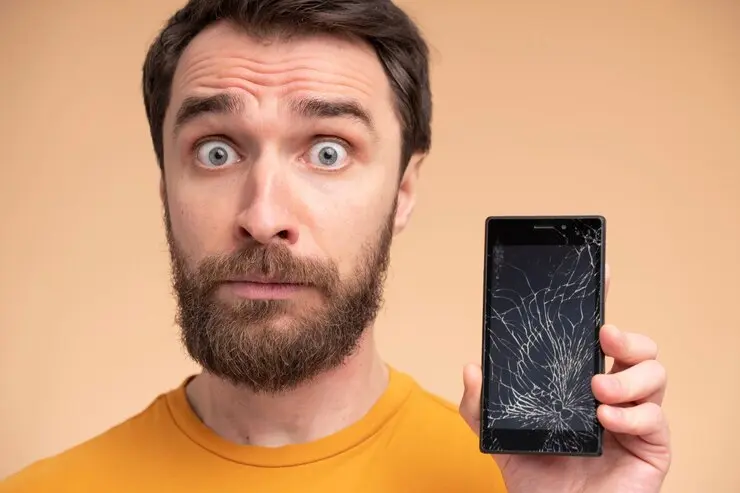
Smartphones have become an essential part of our daily lives. However, these devices are not immune to wear and tear, accidents, or malfunctions. While professional repair services are always an option, many common smartphone issues can be resolved at home with a little know-how.
This guide will walk you through the 10 most common smartphone issues and provide step-by-step instructions on how to fix them. Remember, always proceed with caution and at your own risk when attempting DIY repairs.
Common Smartphone Issues and Phone Problems
Learn how to fix the 10 most common smartphone issues at home, from cracked screens to battery problems. Save money with our step-by-step DIY smartphone repair guide.
Table of Contents
1. Cracked Screen
The Problem: A cracked screen is one of the most common smartphone damages, often resulting from accidental drops.
The Fix:
- Purchase a screen replacement kit specific to your phone model.
- Power off your device and remove the back cover and battery (if removable).
- Disconnect any cables attached to the screen.
- Remove the damaged screen carefully.
- Install the new screen, reconnecting all cables.
- Reassemble your phone and power it on to test.
Caution: Screen replacement can be tricky and may void your warranty. Consider professional help if you’re not confident.
2. Battery Drain
The Problem: Your phone’s battery life seems to deplete faster than usual.
The Fix:
- Check for battery-draining apps in your phone’s settings.
- Reduce screen brightness and turn off unnecessary features like Bluetooth when not in use.
- If issues persist, consider replacing the battery:
- Purchase a replacement battery for your specific model.
- Power off the phone and remove the back cover.
- Carefully disconnect and remove the old battery.
- Insert the new battery and reconnect it.
- Replace the back cover and power on the phone.
Note: Many modern smartphones have non-removable batteries. In such cases, professional repair is recommended.
3. Charging Port Issues
The Problem: Your phone isn’t charging or connects intermittently.
The Fix:
- Check for debris in the charging port using a magnifying glass.
- Gently clean the port with a toothpick or compressed air.
- If problems persist, the charging port may need replacement:
- Purchase a replacement charging port.
- Open your phone carefully (steps vary by model).
- Locate and disconnect the old charging port.
- Connect and secure the new charging port.
- Reassemble your phone and test.
4. Water Damage
The Problem: Your phone has been exposed to water or other liquids.
The Fix:
- Immediately power off the phone and remove the battery if possible.
- Pat dry the exterior with a soft cloth.
- Place the phone in a bag of uncooked rice or silica gel packets for 24-48 hours.
- After drying, attempt to power on the device.
Note: This method isn’t guaranteed to work for severe water damage. Professional repair may be necessary.
5. Unresponsive Touch Screen
The Problem: Your touch screen isn’t responding to inputs.
The Fix:

- Restart your phone to see if it resolves the issue.
- Check for any screen protector issues and remove if necessary.
- If problems persist, you may need to replace the digitizer:
- Follow steps similar to replacing a cracked screen.
- Ensure you purchase a digitizer specific to your phone model.
6. Speaker or Microphone Malfunction
The Problem: You can’t hear calls or others can’t hear you.
The Fix:
- Check for debris blocking the speaker or microphone openings.
- Clean gently with a soft brush or compressed air.
- If issues continue, the speaker or microphone may need replacement:
- Open your phone (steps vary by model).
- Locate and disconnect the faulty component.
- Connect the new speaker or microphone.
- Reassemble and test.
7. Home Button Not Working
The Problem: The home button is unresponsive or stuck.
The Fix:
- Clean around the button with a toothpick to remove debris.
- If cleaning doesn’t work, you may need to replace the home button:
- Open your phone carefully.
- Disconnect and remove the old home button.
- Install the new home button and reconnect.
- Reassemble and test.
8. Camera Issues
The Problem: Your phone’s camera is blurry or not working.
The Fix:
- Clean the camera lens with a microfiber cloth.
- Check for any apps that might be interfering with camera function.
- If problems persist, you may need to replace the camera module:
- Open your phone (steps vary by model).
- Locate and carefully disconnect the camera module.
- Connect the new camera module.
- Reassemble and test.
9. Headphone Jack Problems
The Problem: Audio only plays through one ear or not at all.
The Fix:
- Check for debris in the headphone jack and clean if necessary.
- If cleaning doesn’t work, the jack may need replacement:
- Open your phone carefully.
- Locate and disconnect the headphone jack.
- Connect the new headphone jack.
- Reassemble and test.
10. Software Issues
The Problem: Your phone is freezing, crashing, or performing slowly.
The Fix:
- Restart your phone to see if it resolves the issue.
- Check for and install any available software updates.
- If problems persist, consider a factory reset:
- Back up all important data.
- Go to your phone’s settings and find the reset option.
- Follow the prompts to reset your phone to factory settings.
- Restore your data from the backup.
Conclusion
While these DIY fixes can save time and money, it’s important to remember that some repairs are best left to professionals, especially if your device is still under warranty. Always research thoroughly and proceed with caution when attempting any smartphone repair.
If you’re unsure or uncomfortable at any point, don’t hesitate to seek professional assistance. With proper care and timely repairs, you can extend the life of your smartphone and keep it functioning optimally for years to come.
Share your repair success stories in the comments below.